 SkyLedgr
Verify an endorsement
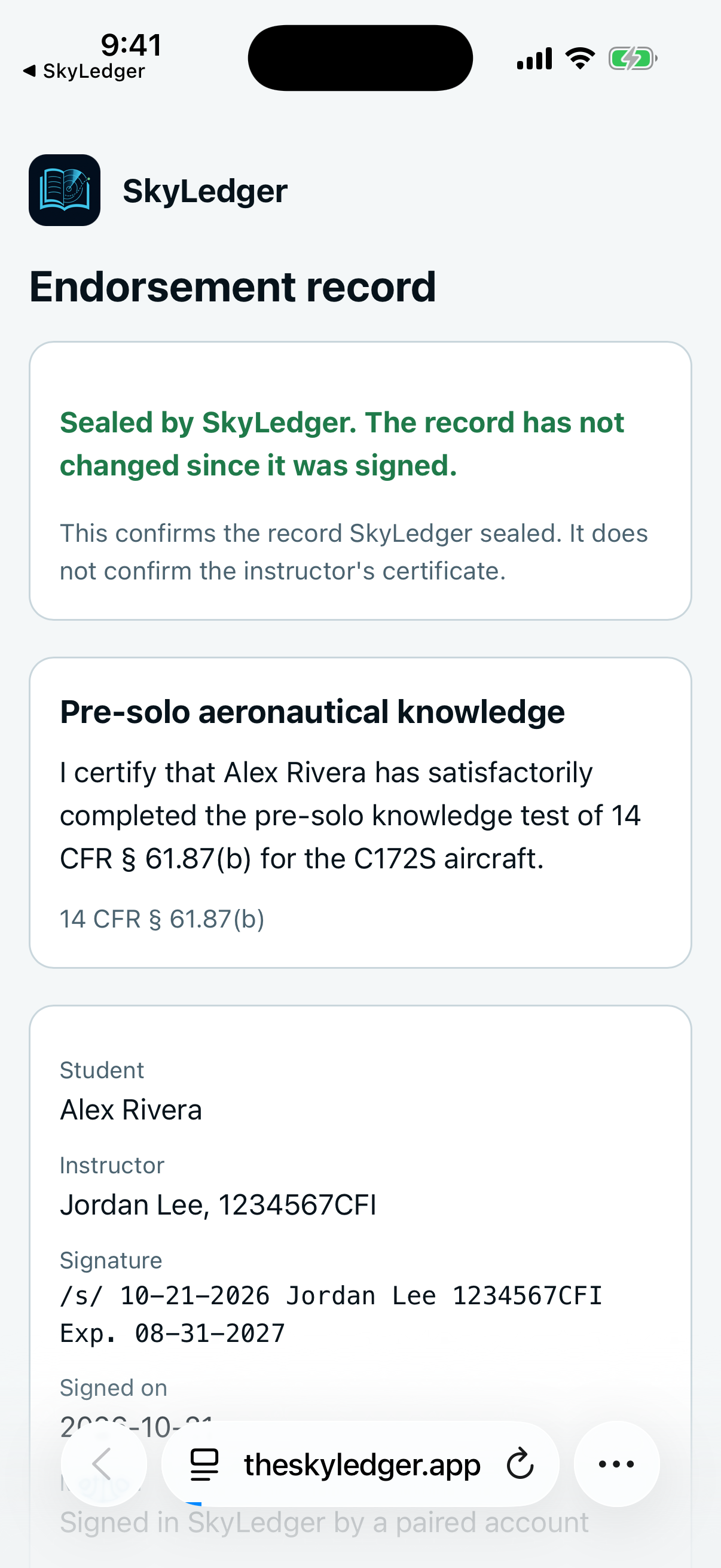
The verification page confirms that SkyLedgr sealed this record and that it has not changed. It does not confirm the instructor's certificate.
Open the page
In the app:
- Open More, then Endorsements.
- Tap a signed endorsement.
- Tap Verify online.
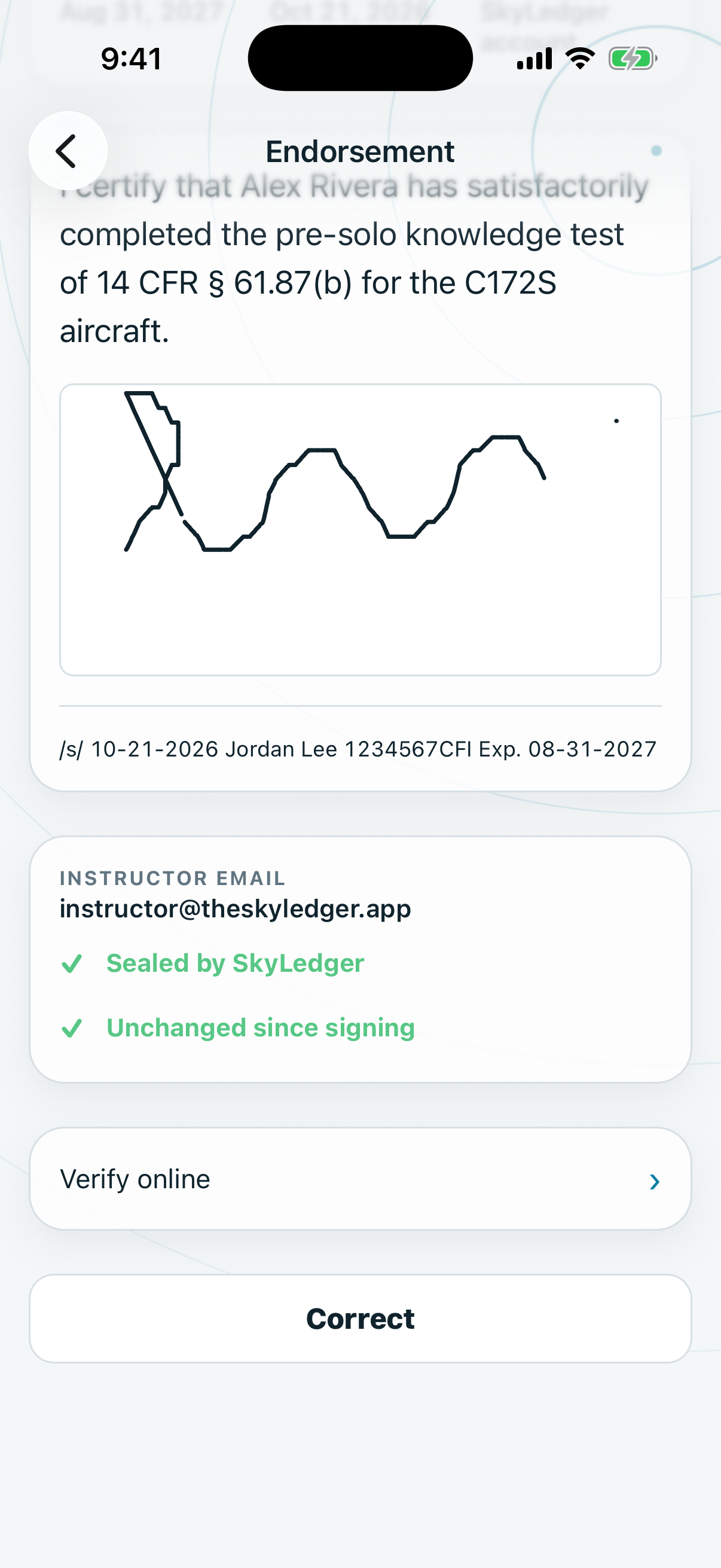
You can also open the link in the instructor's confirmation email, or any link you were given to a record.
What the page shows
- The result at the top: "Sealed by SkyLedgr. The record has not changed since it was signed." or "This record does not match its seal."
- The endorsement text.
- Student.
- Instructor: the name and certificate number as the instructor entered them.
- Signature: the signature line.
- Signed on.
- Method: "Signed by email link" or "Signed in SkyLedgr by a paired account".
- Record digest.
- The drawn signature.
What the page does not show
- Whether the instructor's certificate is valid.
- That the instructor is who they say.
- The instructor's email.
- Whether the pilot may act on the endorsement.
To check a certificate, use the issuing authority. SkyLedgr does not.
Endorsements signed in person
An endorsement signed in person has no seal and no page. In the app it shows Unchanged since signing if the record has not been altered.