 SkyLedgr
Back up and restore
A backup is one encrypted file. It holds all flights, history, people, aircraft, signatures and signed endorsements. It works offline and restores on any phone with SkyLedgr.
Create a backup
- Open More.
- Under Export, tap Create backup.
- Enter Password. Use 12 or more characters.
- Enter Confirm password.
- Tap Create backup.
- Save the file to Files or another safe place.
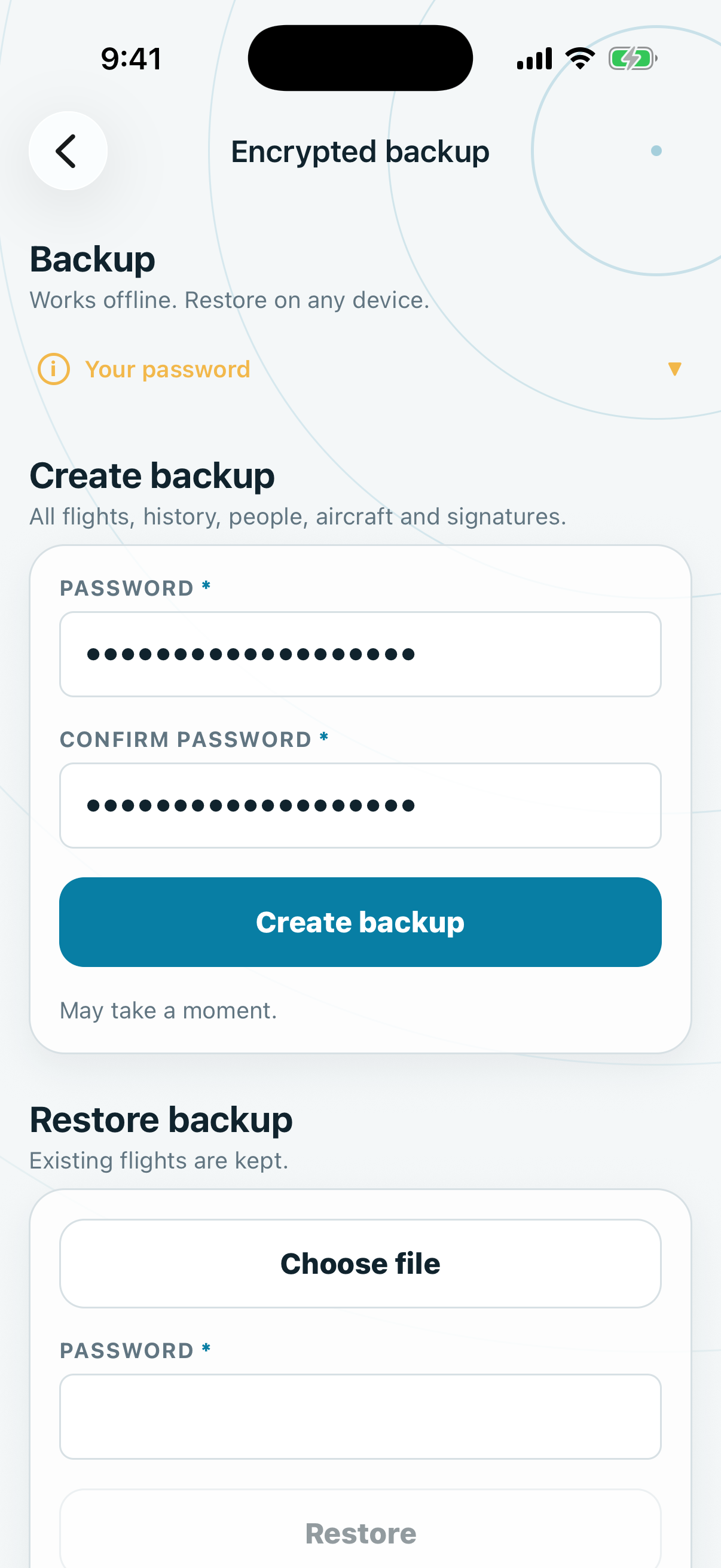
SkyLedgr never stores this password and cannot recover it. Keep it apart from the file. Without it the backup cannot be opened.
Restore a backup
- Open More.
- Under Export, tap Restore backup.
- Tap Choose file and pick the backup.
- Enter Password.
- Tap Restore.
- Read the counts and tap Restore.
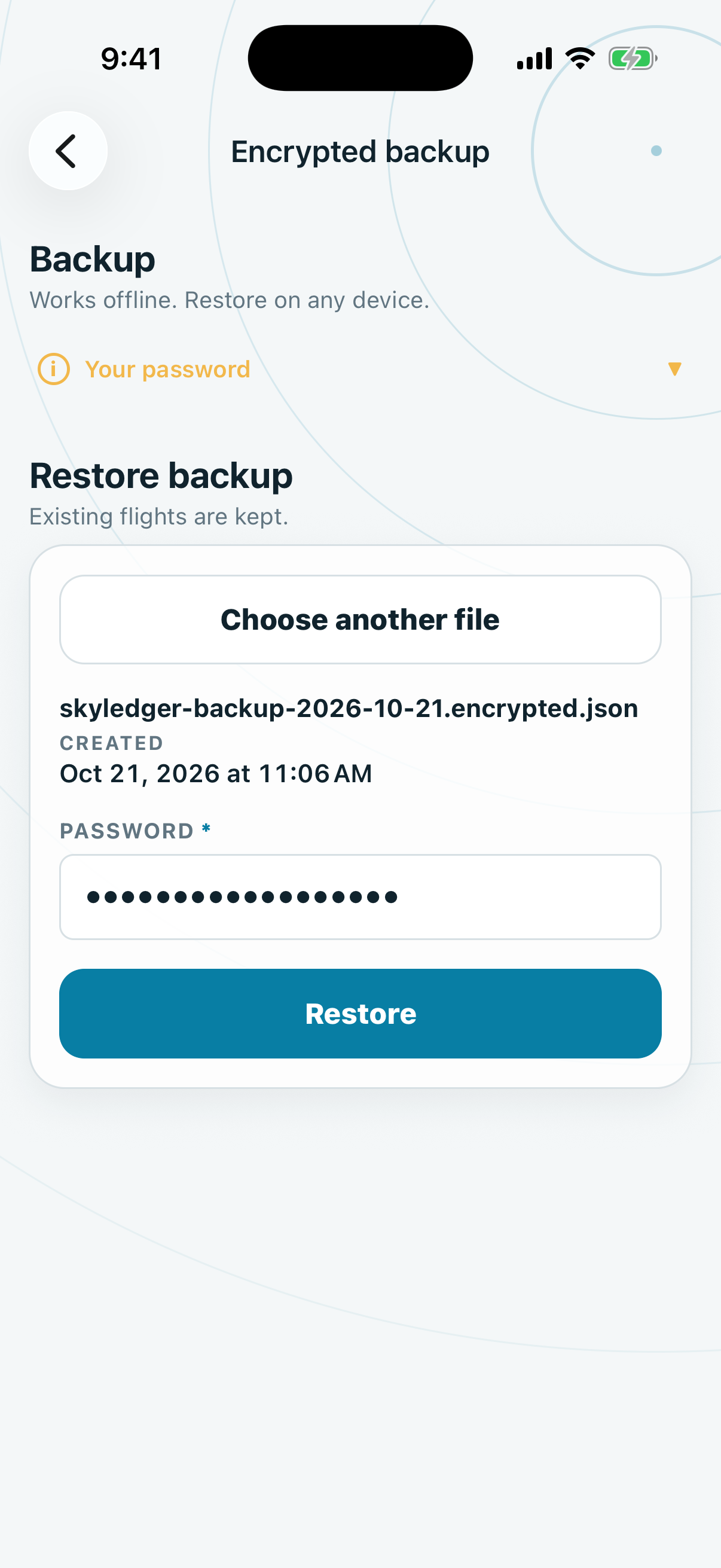
A wrong password or a changed file restores nothing.
What restore does
Restore never deletes anything on the phone.
- Flights and records that are not on the phone are added.
- Records identical to ones on the phone are skipped.
- Records with the same ID but different content are left unchanged and counted as conflicts.
The result reads, for example, "Restored 12 flights. 3 already present. 1 conflict left unchanged." Restore is all or nothing. If it fails, nothing is added.
Older unencrypted backups restore through Restore legacy backup. They are readable by anyone who has the file.